
Release Notes
Advanced Dedicated Modeler (Beta) on app.freightmath.com
The initial Beta of the Advanced Dedicated Modeler is live for all clients, taking a dedicated opportunity from capacity planning through cost, pricing and term comparison in one saved bid.
This release opens the initial Beta of the Advanced Dedicated Modeler on app.freightmath.com, available to all clients today. The Modeler takes a dedicated opportunity from the first questions through to a customer-ready proposal in one place: it sizes the trucks and drivers the account needs, builds the cost, prices the deal line by line, and compares results over the contract term. Each bid saves to an operation, so you can reopen it later from Activity Hub.
A Microsoft update disrupted the automations that send the "FreightMath Results" email, so you may not have received it. Your data is not affected, and processing is running normally. The replacement notification is in final testing and we expect it to be live this week.
In the meantime, please use your weekly Insights email as your signal that your updated results are ready, then view them at app.freightmath.com.
Highlights
- Advanced Dedicated Modeler (Beta) is live on app.freightmath.com for all clients.
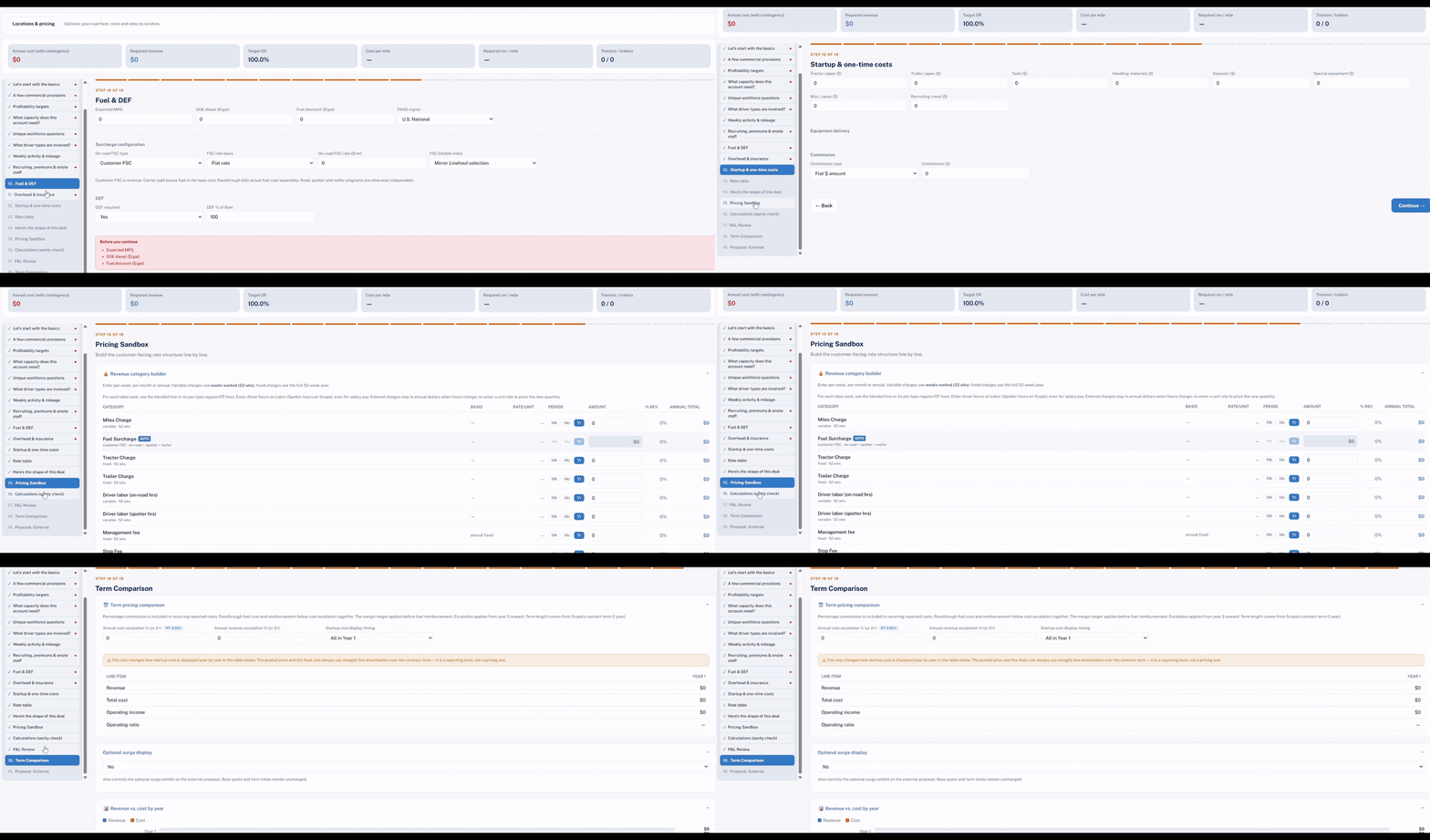
- Guided Pricing Builder walks through the deal from basics to the external proposal, with a live summary of cost, required revenue and target OR.
- Capacity Builder turns shift coverage into an estimated truck and driver count, with a weekly schedule for each.
- Pricing Sandbox builds the customer-facing rate structure one revenue line at a time.
- Term Comparison shows revenue, cost and OR by contract year with escalation.
- Results email: use your Insights email as the trigger to check your weekly results until the replacement notification is live.
What's new
Advanced Dedicated Modeler (Beta)
The Modeler opens with a simple question: what do you want to do? Capacity and pricing share the same saved bid, so you can start wherever the deal starts.
- Plan & Optimize Capacity: Enter lanes manually, review the two-week fleet estimate, and apply it to the quote.
- Build a Pricing Proposal: Work through the cost inputs and put together a customer-ready rate proposal.
Save each bid to an operation with an opportunity or project name. Saved bids appear under Recent and can be reopened from Activity Hub.
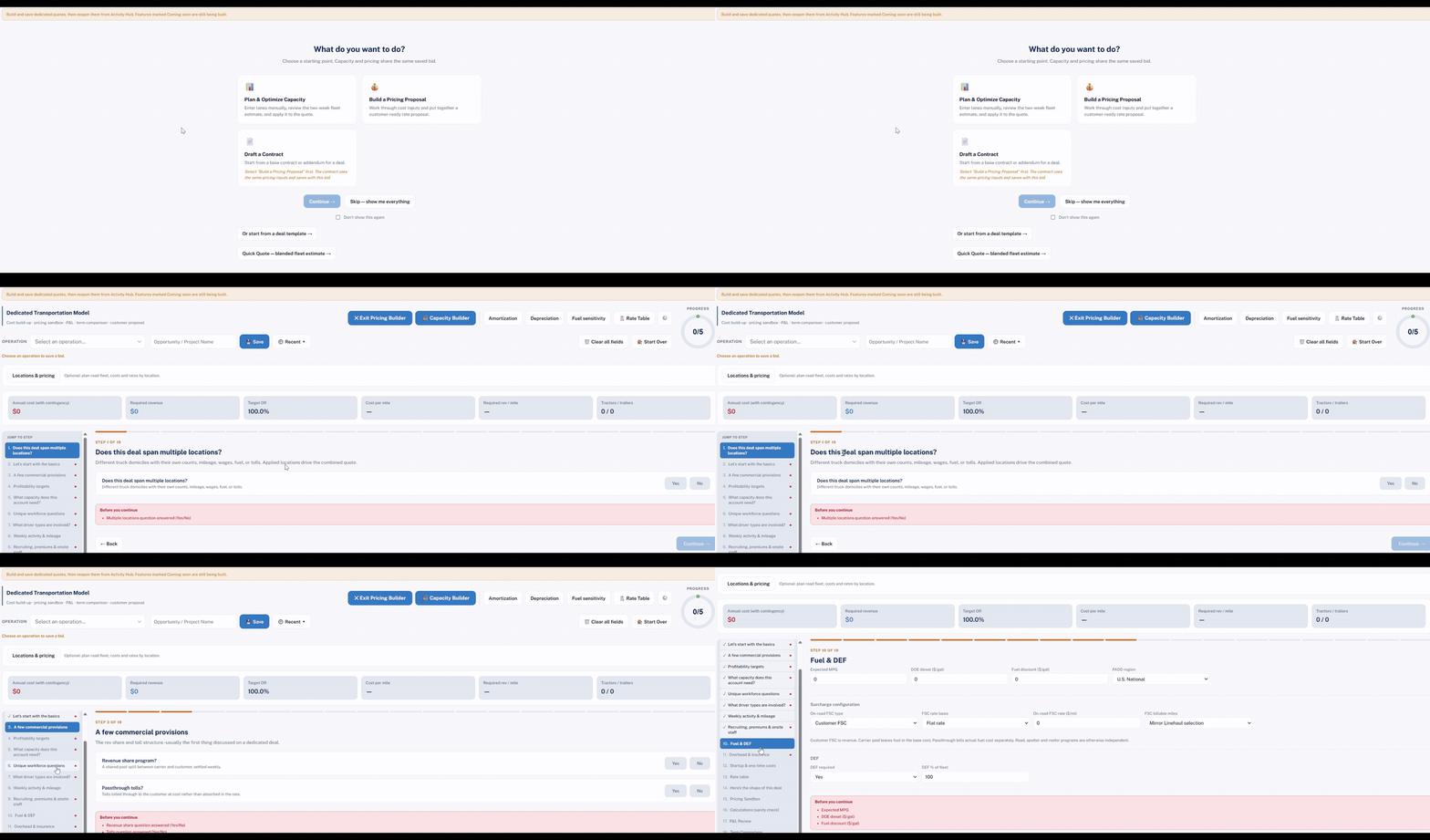
Draft a Contract, deal templates and Quick Quote are still being built and are marked Coming soon in the app. Draft a Contract will use the same pricing inputs as the proposal, so it will follow a saved Pricing Proposal. We will confirm in a future release note when each one is available.
Guided Pricing Builder
The Pricing Builder walks you through the deal in 18 steps, and you can jump to any step from the side menu. Steps cover:
- Locations, deal basics, commercial provisions and profitability targets
- Capacity needs, driver types, and unique workforce questions (incumbent driver transfers, overtime and holiday pay for hourly drivers, slip-seating, shift premiums and temp labor)
- Weekly activity and mileage, recruiting and onsite staff, fuel and DEF, overhead and insurance, and startup and one-time costs
- Rate table, deal shape, Pricing Sandbox, a calculations sanity check, P&L Review, Term Comparison and the external proposal
A summary bar stays at the top of the model with annual cost (with contingency), required revenue, target OR, cost per mile, required revenue per mile, and tractor and trailer counts, so you can see the effect of each input as you go. Multi-location deals are supported, with separate truck counts, mileage, wages, fuel and tolls for each domicile.
Capacity Builder
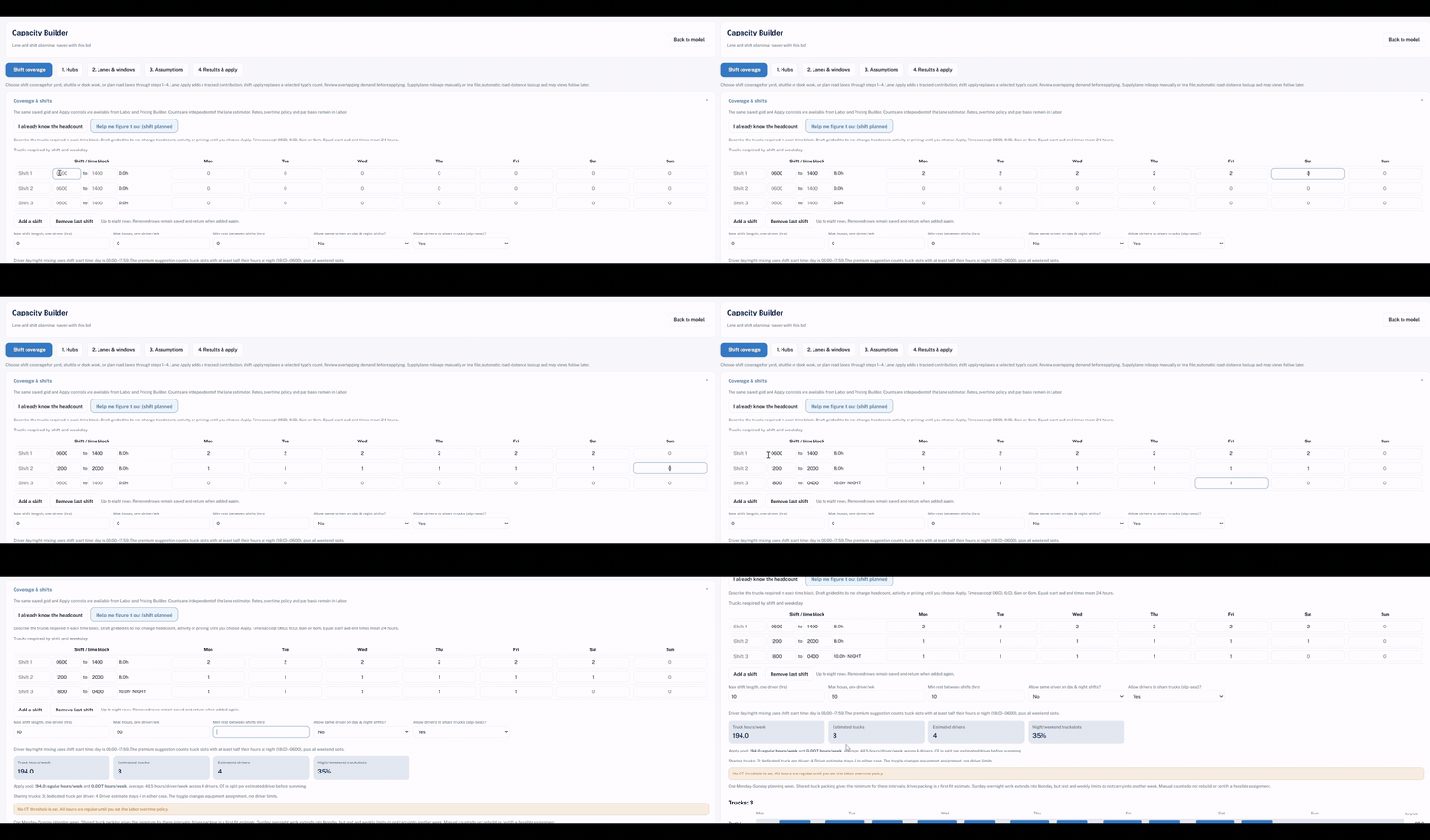
Capacity Builder sizes the fleet from how the account actually runs. Work through Shift coverage, Hubs, Lanes and windows, Assumptions, and Results and apply.
- Shift coverage: Enter the trucks needed in each shift by day of the week, or choose "Help me figure it out" to use the shift planner. Overnight shifts are supported.
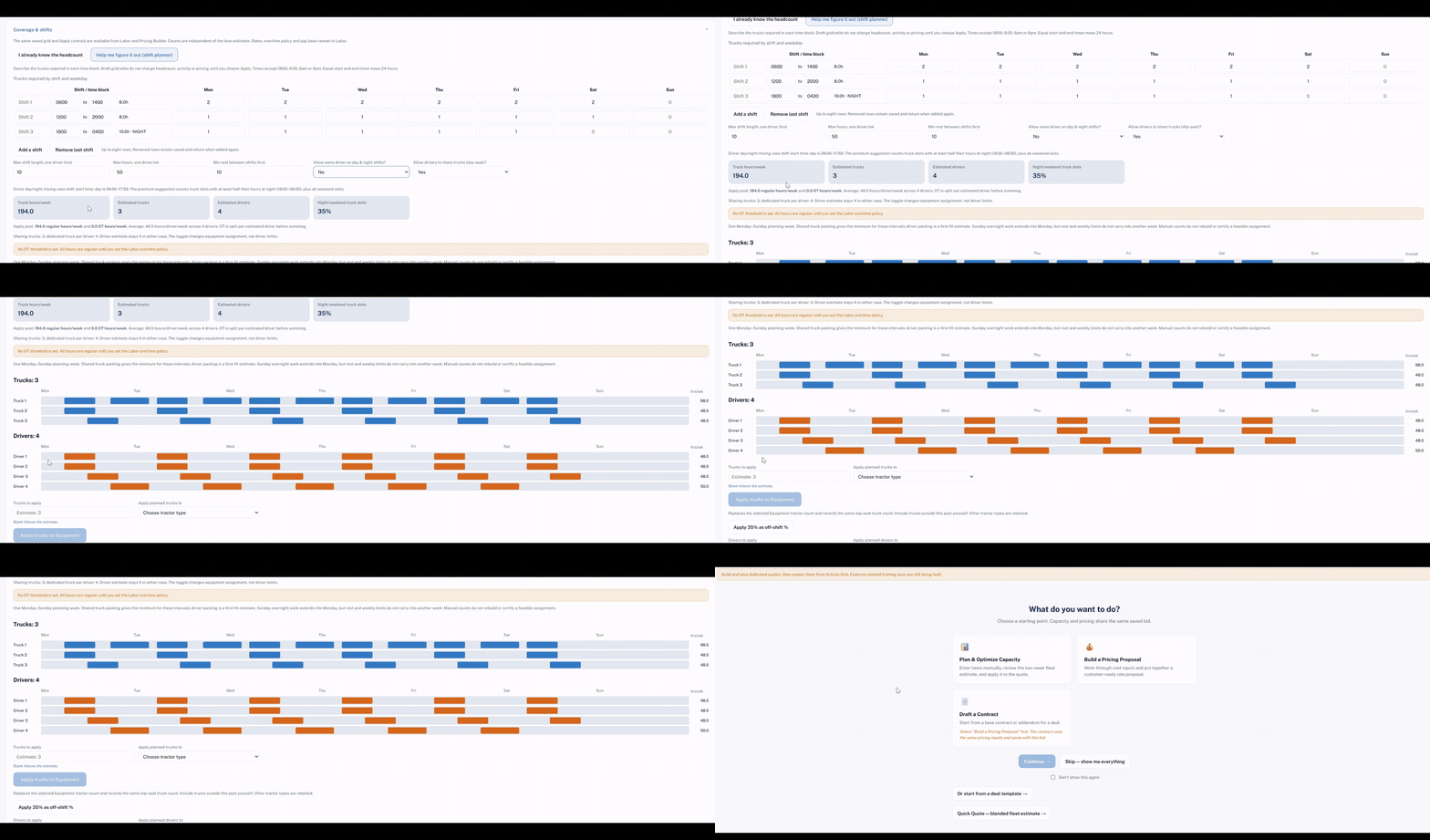
- Driver rules: Set maximum shift length, maximum hours per week, minimum rest between shifts, whether one driver can work both day and night shifts, and whether drivers can share trucks (slip-seat).
- Results: See truck hours per week, estimated trucks, estimated drivers, and the share of night and weekend truck slots, along with a weekly schedule for each truck and each driver.
- Apply: Send the planned trucks to Equipment and the planned drivers to Labor in one step.
Pricing Sandbox
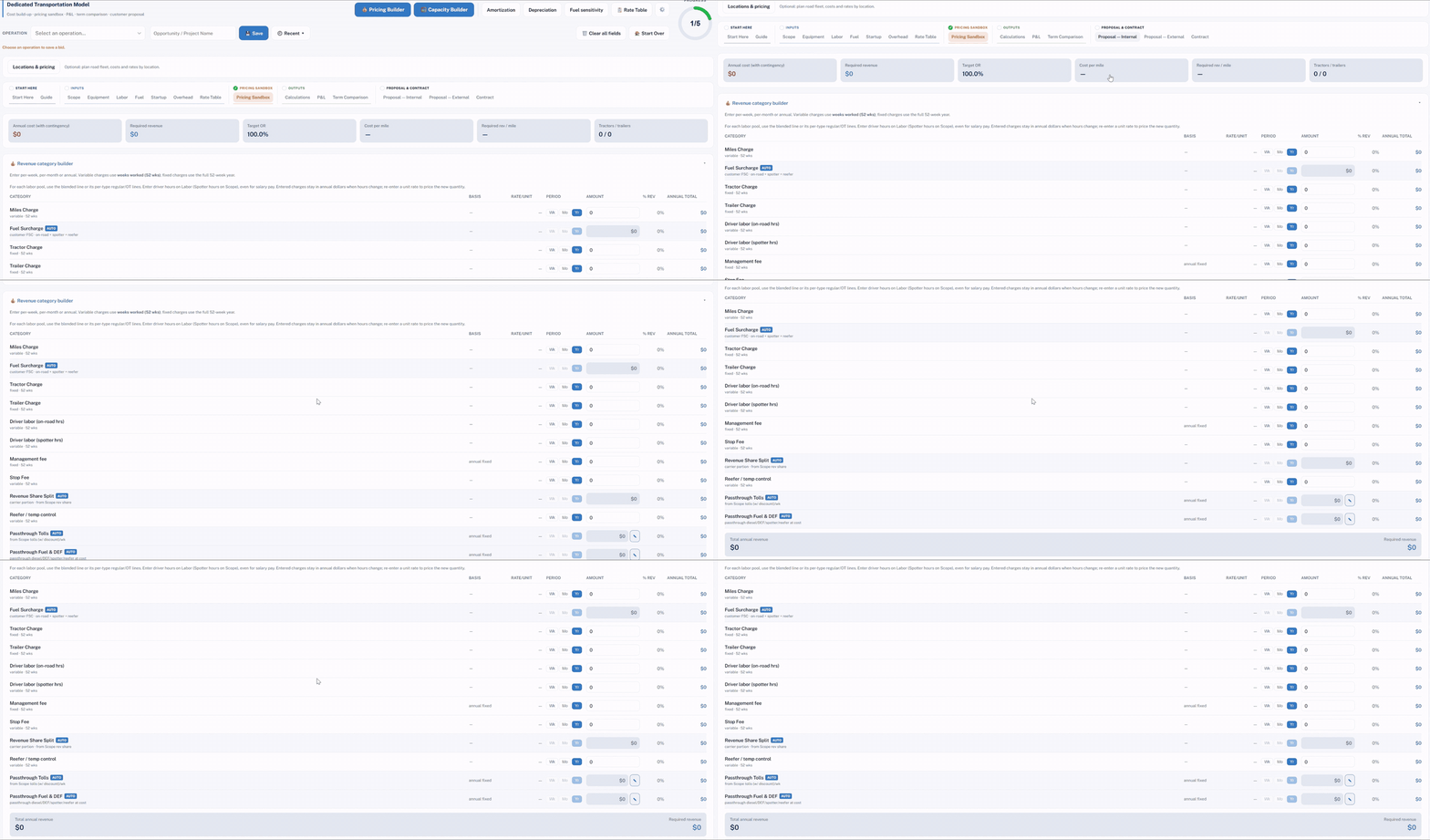
Build the customer-facing rate structure line by line. Each revenue category can be entered per week, per month or per year, and shows its share of revenue and its annual total. Categories include miles charge, fuel surcharge, tractor and trailer charges, driver labor (on-road and spotter hours), management fee, stop fee, revenue share split, reefer and temp control, and passthrough tolls and fuel and DEF. Fuel surcharge, revenue share and passthroughs are calculated automatically from your other inputs.
Term Comparison and supporting tools
- Term Comparison: Set annual cost and revenue escalation and choose how startup costs are displayed by year to see revenue, total cost, operating income and operating ratio for each contract year. An optional surge display can be added to the external proposal.
- Supporting tools: Amortization, Depreciation, Fuel sensitivity and Rate Table are available from the top of the model.
Features marked Coming soon in the app are still being built. Tell us what works, what is missing, and how you price dedicated business today. Email support@ksmta.com.
Improvements
- Dedicated pricing: Capacity, cost build-up, pricing, P&L and term comparison now live in one saved bid on app.freightmath.com.
- Activity Hub: Saved dedicated bids can be reopened from Activity Hub.
Fixes
- None in this release.
Walkthrough
Known issues
- FreightMath Results email: The weekly "FreightMath Results" email was interrupted by a Microsoft update and is not being sent right now. Your data and processing are not affected. A replacement notification is in final testing and is expected to be live this week, and we will confirm when it is running. Until then, use your weekly Insights email as the signal to review your updated results at app.freightmath.com.
- Reminder: The legacy Spot Check app redirects to app.freightmath.com on November 15.